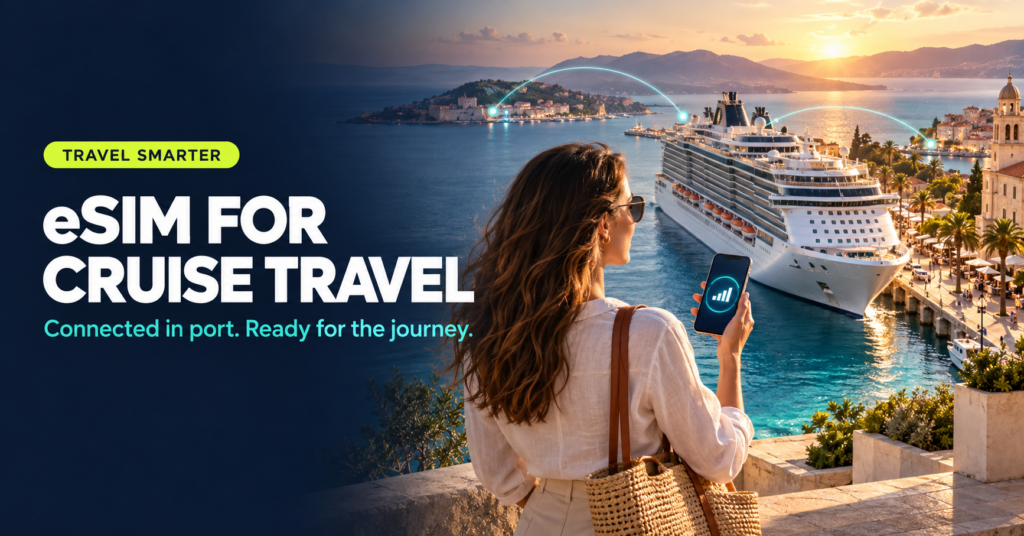
Planning a cruise involves more than choosing excursions and packing for the weather. You also need to decide how you will access maps, messages, transport applications, travel bookings and the internet throughout your journey. An eSIM for cruise travel can provide convenient mobile data while you are at covered ports and within reach of supported land-based networks. However, a standard travel eSIM does not replace satellite Wi-Fi when your ship is far from land.
For most travellers, the most practical approach is to combine the two:
- Use an ACMeSIM travel eSIM before boarding and whenever you are in a covered port.
- Keep airplane mode enabled while the ship is sailing.
- Use the ship’s Wi-Fi only when you genuinely need internet access at sea.
Here is how cruise Wi-Fi and travel eSIMs compare—and how to avoid unexpected maritime roaming charges.
Quick answer: Can you use an eSIM on a cruise?
Yes, but only when your selected eSIM can connect to a supported terrestrial mobile network.
A travel eSIM can normally provide data:
- At your departure city and cruise terminal
- During embarkation and disembarkation
- At covered ports of call
- Near some coastlines while a land network remains available
- During your pre-cruise and post-cruise travel
A standard travel eSIM will not provide normal land-based coverage in the middle of the ocean. When the ship moves beyond the range of terrestrial mobile networks, you will need the ship’s satellite Wi-Fi—or remain offline.
Cruise Wi-Fi vs eSIM: What is the difference?
| Feature | Travel eSIM | Cruise ship Wi-Fi |
|---|---|---|
| Connection type | Terrestrial mobile network | Satellite internet |
| Works at covered ports | Yes | Usually only on or near the ship |
| Works in open ocean | No land-based coverage | Yes |
| Useful away from the ship | Yes | No |
| Good for maps and rideshares | Yes | Not after leaving the ship |
| Pricing method | Based on destination, data and validity | Usually based on cruise duration, user, device or service level |
| Best use | Port days and land-based travel | Sea days |
An eSIM and cruise Wi-Fi solve different connectivity problems. Your eSIM keeps you connected on land, while the ship’s Wi-Fi provides internet access when terrestrial mobile networks are unavailable.
Why use an eSIM during a cruise holiday?
Even if you purchase onboard Wi-Fi, a travel eSIM remains useful throughout your journey.
Stay connected before boarding
Embarkation day can involve airport transfers, hotel check-out, terminal directions, cruise check-in and messages between travelling companions.
With an eSIM installed before departure, you can access mobile data without searching for public Wi-Fi or buying a physical SIM after arriving at your destination.
Use maps and transport apps in port
The ship’s Wi-Fi usually stops helping once you leave the vessel. During a port visit, you may need mobile data for:
- Google Maps or Apple Maps
- Rideshare and taxi applications
- Restaurant searches
- Translation tools
- Excursion confirmations
- Messaging your travel group
- Mobile payments
- Booking changes
- Emergency information
An eSIM gives your phone its own mobile connection wherever the selected plan has supported network coverage.
Avoid relying entirely on public Wi-Fi
Free Wi-Fi may be available in cafés, terminals and tourist areas, but its availability, speed and security can be unpredictable.
A mobile data connection is generally more convenient when checking bookings, accessing maps or using accounts containing personal information.
Control your connectivity costs
Cruise Wi-Fi packages may be sold by day, device, passenger or service level. Prices and restrictions differ between cruise lines, ships and sailings.
Using an eSIM for land-based activity allows you to reserve onboard Wi-Fi for situations in which it is genuinely required.
The maritime roaming risk cruise passengers should understand
Some cruise ships operate maritime mobile networks while sailing. Your phone may detect one of these networks after losing its connection to land-based towers.
Connecting to a maritime mobile network is not the same as connecting to the ship’s Wi-Fi.
If data roaming remains enabled, your home SIM—or potentially another active SIM profile—may connect to the ship’s maritime network. Any resulting charges are determined by your mobile provider and may be substantially higher than standard international roaming rates.
The safest approach while sailing is:
- Turn on airplane mode before the ship leaves port.
- Confirm that mobile data and data roaming are disabled.
- Manually switch Wi-Fi back on if you are using an onboard package.
- Keep airplane mode enabled while the ship is at sea.
- Only reactivate your ACMeSIM line after the ship has docked and you have confirmed that you are within the coverage area of your plan.
Installing a travel eSIM does not automatically protect you from maritime roaming. Your phone settings still matter.
Where can an ACMeSIM work during a cruise?
Coverage depends on the countries and networks included in the plan you purchase.
Before buying a plan, check your entire itinerary—not just the location from which the cruise departs.
United States departure ports
A United States eSIM can be useful when departing from locations such as Miami, Fort Lauderdale, Port Canaveral, Galveston, Seattle, Los Angeles, New York or other US cruise ports.
It can provide connectivity during your airport arrival, hotel stay, terminal journey, embarkation and return travel.
Explore ACMeSIM plans for the United States.
Alaska cruises
A United States plan may provide connectivity at covered American ports such as Juneau, Ketchikan, Skagway and Sitka.
However, many Alaska itineraries also include a stop in Canada. If your cruise visits Victoria, Vancouver or another Canadian destination, check whether you also require Canadian coverage.
Coverage may become intermittent in remote areas, so download important maps and documents before leaving port.
Hawaii cruises
Hawaii is part of the United States, so a US eSIM may provide connectivity at supported Hawaiian destinations.
However, the eSIM will not provide land-based service during open-ocean sections of the journey.
Caribbean cruises
A United States eSIM should not be expected to cover an entire Caribbean itinerary.
Your cruise may visit the Bahamas, Mexico, Jamaica, the Cayman Islands or several other destinations. Coverage must be checked for each country included in the journey.
A US plan may cover your departure and return journey in the United States, but separate destination coverage may be required for your port visits.
You can browse ACMeSIM destinations and select plans based on the countries you will actually visit.
European and Mediterranean cruises
European cruises frequently visit several countries during a single journey.
Instead of purchasing a separate eSIM for every port, an ACMeSIM Europe plan can provide connectivity across the supported European destinations included in the plan.
Before purchasing, compare the plan’s list of covered countries with your complete itinerary, including:
- Your arrival airport
- The country where you board the ship
- Every scheduled port
- Your disembarkation country
- Any post-cruise destination
Explore the ACMeSIM Europe eSIM plan.
Transatlantic and repositioning cruises
An eSIM can support your connectivity at the departure and arrival destinations, as well as covered ports along the route.
It will not provide land-based mobile data during the extended open-ocean portion of a transatlantic sailing. If you need internet access during sea days, you will need the ship’s Wi-Fi package.
The most cost-effective cruise connectivity strategy – eSIM for Cruise
For many passengers, the best approach is not choosing between an eSIM and cruise Wi-Fi. It is using each connection for the situation it handles best.
Before travelling
- Confirm that your phone supports eSIM technology.
- Check that your phone is network-unlocked.
- Make a list of every country on your itinerary.
- Purchase the appropriate ACMeSIM plan.
- Install the eSIM while connected to reliable Wi-Fi.
- Save the installation instructions offline.
- Download maps for your departure city and ports.
- Download entertainment for sea days.
- Save cruise documents and excursion confirmations.
- Disable automatic app updates and cloud photo backups.
While the ship is sailing
- Keep airplane mode enabled.
- Manually turn Wi-Fi back on if using the ship’s internet.
- Do not activate mobile data simply because a cellular network appears.
- Keep data roaming disabled on every SIM profile.
- Use downloaded entertainment instead of streaming where possible.
When you arrive in port
- Wait until the ship has docked.
- Disable airplane mode.
- Select your ACMeSIM line for mobile data.
- Confirm that your phone has connected to an appropriate local network.
- Use mobile data for navigation, transport, bookings and communication.
- Re-enable airplane mode before the ship leaves the port.
This approach reduces the risk of accidental maritime roaming while keeping you connected when mobile data is most useful.
How much data do you need for a cruise?
Your data requirement depends on the number of port days and what you plan to do while ashore.
Typical activities include:
- Maps and navigation: relatively light usage
- Messaging and email: light usage
- Web browsing: light to moderate usage
- Social-media browsing: moderate usage
- Photo uploads: moderate usage
- Video uploads: heavy usage
- Video calls: heavy usage
- HD video streaming: very heavy usage
A traveller who mainly uses data for maps, messages, restaurant searches and excursion coordination will need considerably less data than someone uploading videos or making frequent video calls.
To make your allowance last longer:
- Download offline maps before boarding.
- Save music, films and podcasts for offline use.
- Pause automatic photo and video backups.
- Disable background app refresh.
- Use suitable Wi-Fi for large downloads.
- Reduce video quality when using mobile data.
- Avoid installing major application updates during the trip.
You can also use the ACMeSIM Data Usage Calculator to estimate the amount of data required for your journey.
Is cruise Wi-Fi still worth buying?
Cruise Wi-Fi is useful if you need an internet connection during sea days.
An onboard package may be worthwhile for:
- Remote work
- Time-sensitive business communication
- Regular video calls
- Contact with family during long sea crossings
- Access to services that cannot wait until the next port
- Cruises with several consecutive days at sea
If you only need occasional messages—or are comfortable remaining offline while sailing—you may be able to use an eSIM in port and skip the onboard internet package.
Another option is to purchase the lowest suitable Wi-Fi tier and reserve data-intensive activity for covered port days.
Always check the latest package options directly with your cruise line. Internet pricing, supported applications, speeds and device limits can change between ships and sailings.
Common cruise connectivity mistakes
Assuming an eSIM will work in open ocean
A standard travel eSIM depends on terrestrial mobile networks. It cannot create land-based coverage where no supported tower exists.
Leaving data roaming enabled while sailing
Your device may detect a maritime mobile network. Keep airplane mode enabled while at sea to reduce the risk of unexpected charges.
Buying coverage only for the departure country
Your cruise may visit several countries. Check every port instead of selecting a plan based solely on the cruise terminal.
Installing the eSIM at the last minute
Install your eSIM before departure while you have a stable internet connection. Follow the activation instructions provided with your ACMeSIM plan.
Using mobile data for automatic backups
Photographs and videos can consume several gigabytes without you noticing. Pause cloud syncing until you have access to suitable Wi-Fi.
Forgetting to check device compatibility
Confirm that your phone supports eSIM technology and is not locked to your home network before purchasing a plan.
eSIM for Cruise connectivity checklist
Before leaving home, confirm that you have:
- Checked your phone’s eSIM compatibility
- Confirmed that the device is network-unlocked
- Reviewed every country on your itinerary
- Purchased the correct destination or regional plan
- Installed your ACMeSIM
- Saved installation details offline
- Downloaded offline maps
- Downloaded entertainment for sea days
- Disabled automatic backups
- Checked your cruise line’s Wi-Fi options
- Learned how to enable airplane mode while keeping Wi-Fi active
Frequently asked questions
Does an eSIM work on a cruise ship?
An eSIM works when your device can reach a supported terrestrial mobile network. It may work at the cruise terminal, in covered ports and near certain coastlines, but it will not normally provide land-based coverage in open ocean.
Can an eSIM for cruise replace cruise Wi-Fi?
Not completely. An eSIM is ideal for land-based connectivity, while cruise Wi-Fi is required if you need internet access when the ship is far from mobile towers.
Should I turn on airplane mode during a cruise?
Yes. Enable airplane mode while sailing and manually switch Wi-Fi back on if you have purchased an onboard internet package. This helps prevent accidental maritime roaming.
Can I use a US eSIM on a Caribbean cruise?
A US eSIM can provide coverage at supported locations in the United States, including your departure or return journey. It should not be expected to cover foreign Caribbean ports. Check each destination separately.
Will an eSIM work on an Alaska cruise?
A US eSIM may work at supported American ports and in some coastal areas. If the itinerary includes Victoria, Vancouver or another Canadian destination, additional coverage may be required.
Can I use one eSIM for a European cruise?
The ACMeSIM Europe eSIM plan can provide connectivity across the supported European countries included in the plan. Compare its country list with your cruise itinerary before purchasing.
Can I install my eSIM before the cruise?
Yes. Installing the eSIM before departure is recommended. Activation conditions may differ by plan, so follow the instructions supplied with your ACMeSIM purchase.
How can I avoid roaming charges on a cruise?
Use airplane mode while sailing, disable data roaming on all SIM profiles, connect only to the ship’s Wi-Fi at sea and activate your travel eSIM when you reach a covered destination.
Does an eSIM work on cruise line private islands?
It depends on the island, the available local mobile network and the destinations included in your plan. Check the specific location rather than assuming that it is covered by the country from which your cruise departed.
How much data do I need for a seven-day cruise?
The answer depends on how many port days you have and how you use your phone. Maps, messages and bookings require relatively little data, while video calls, streaming and media uploads use considerably more.
Stay connected during your next cruise
A travel eSIM will not replace satellite internet in the middle of the ocean, but it can make every land-based stage of your cruise easier.
Use ACMeSIM for airport transfers, embarkation, port exploration and your journey home. Keep airplane mode enabled while sailing, and purchase onboard Wi-Fi only when you need connectivity at sea.